Blog
Everything You Need to Know About Bad Battery Cell Symptoms: A Comprehensive Guide
2026-04-11 | Eric
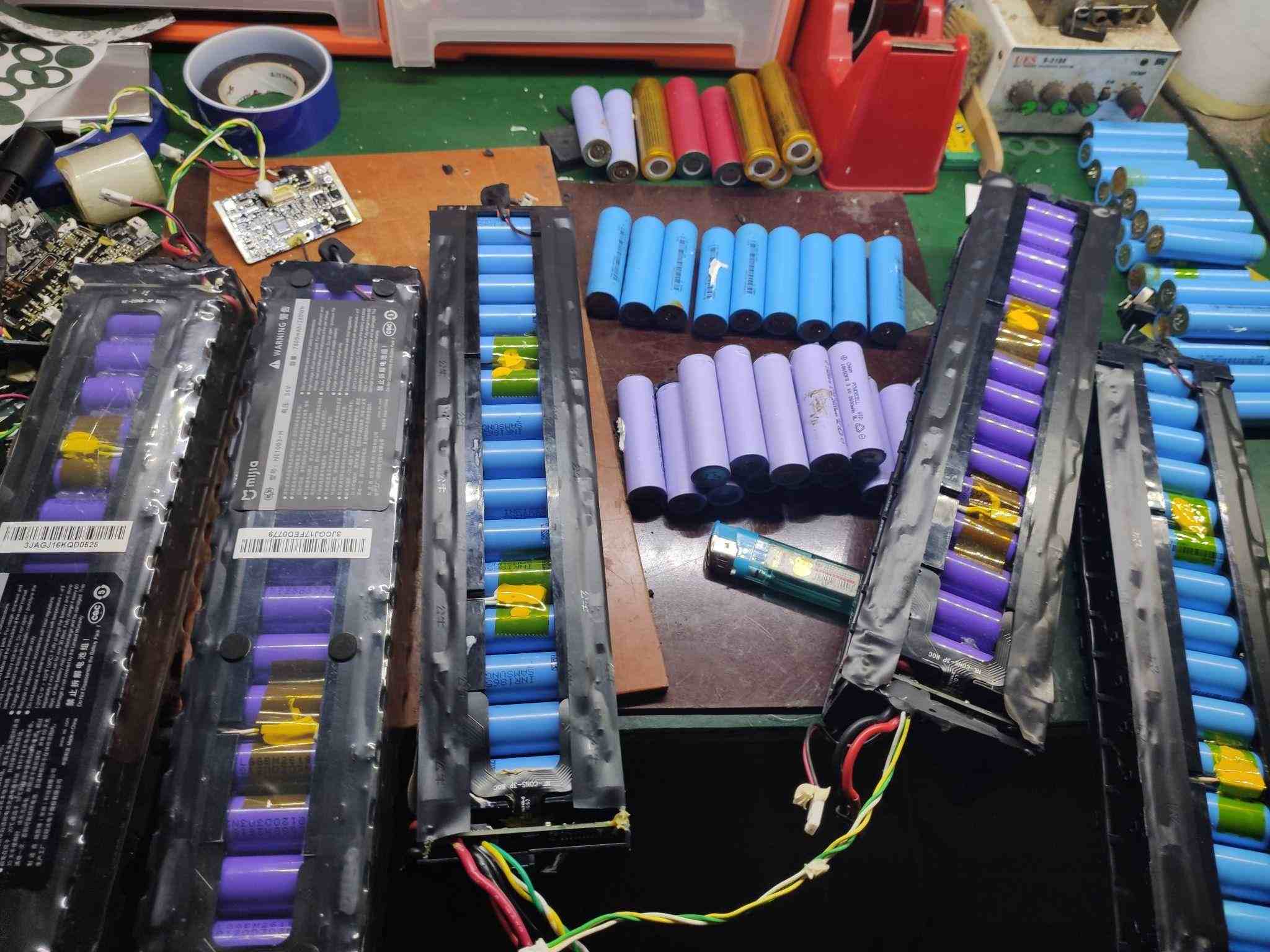
If your once-reliable gadget is now underperforming, it might be the result of a bad battery cell. In this article, we dive deep into the world of dead lithium batteries, offering expert advice on identifying, testing, and handling them. Whether you’re experiencing rapid battery drainage or unexpected device shutdowns, this guide will help you understand the problem and take appropriate action.
Table of Contents
- Part 1: 10 Signs and Symptoms of a Bad Battery Cell
- Part 2: What Causes a Dead Cell in a Battery?
- Part 3: How to Test Dead Battery Cells: Step by Step
- Part 4: What Should You Do with Old Lithium-Ion Batteries?
- Part 5: How to Deal with a Dead Lithium Battery: Replace or Repair?
- Part 6: Battery Maintenance Tips
Part 1: 10 Signs and Symptoms of a Bad Battery Cell
If your device's battery isn't performing as it should, it might be time to investigate further. Here are 10 common signs that indicate a bad battery cell:
- Reduced Capacity: Over time, a battery cell may lose its ability to hold a charge. This means more frequent charging sessions and shorter usage times.
- Rapid Discharge: A dying battery can discharge quickly, even when your device isn’t in use. If you notice a fast decline in battery percentage, it may be a red flag.
- Overheating: If your device gets unusually hot during charging or use, it could point to a malfunctioning battery cell.
- Swelling or Bulging: Physical deformations like swelling or bulging are serious signs of battery failure. Never ignore a battery that shows visible changes.
- Inconsistent Performance: Devices powered by faulty battery cells can exhibit erratic performance, such as unexpected shutdowns or sudden drops in battery levels.
- Difficulty Charging: If your device takes longer than usual to charge, or struggles to reach a full charge, the battery could be the culprit.
- Sudden Voltage Drops: When a battery cell starts to fail, you might experience sudden voltage drops during use. This can cause the device to shut down unexpectedly.
- Increased Self-Discharge: A bad battery might lose charge even when not in use, leading to quicker-than-usual depletion of battery life.
- Reduced Battery Life: If the overall lifespan of your battery has significantly dropped, it’s likely due to a deteriorating cell.
- Unreliable Performance: A failing battery cell can cause a range of issues, such as random reboots, freezing, or other unusual behavior.
Part 2: What Causes a Dead Cell in a Battery?
Understanding what causes a battery cell to die can help you prevent future problems. Here are the common factors that contribute to a dead battery cell:
- Overcharging: Charging beyond the recommended limit can damage battery cells.
- Over-discharging: Draining a battery completely can cause irreversible damage.
- Physical Damage: Dropping or crushing a battery can lead to internal damage that affects cell performance.
- High Temperatures: Excessive heat can degrade the chemicals inside the battery, causing cells to fail.
- Aging: All batteries wear out over time. The more charge cycles a battery goes through, the faster its cells degrade.
- Manufacturing Defects: Some cells may be faulty from the beginning, causing premature failure.
- Poor Maintenance: Exposure to extreme temperatures or improper charging habits can accelerate battery cell degradation.
- Internal Shorts: A short circuit within the battery can result in a dead cell.
- Chemical Reactions: Unintended chemical reactions inside the battery may damage the cells.
- Bad Luck: Sometimes, batteries just fail without any clear cause.
Part 3: How to Test Dead Battery Cells: Step by Step
Here’s how you can test for a dead battery cell:
- Visual Inspection: Check for any visible damage, such as bulging, cracks, or leakage around the battery.
- Voltage Check: Use a multimeter to measure the battery's voltage. Compare it against the expected voltage for a healthy battery. For example, a fully charged 12V battery should read between 12.7 and 13.2V. If the reading is below 12V, the battery may be failing.
- Cell Voltage Test: If the overall voltage is low, test individual cells for voltage. A healthy cell should have a voltage between 2.1 and 2.2 volts. If the voltage is significantly lower, that cell is likely dead.
- Load Test: Apply a load to the battery to check its ability to deliver power under stress. If the voltage drops drastically, it may indicate a failing cell.
- Professional Testing: If you're unsure, take the battery to a professional testing facility where specialized equipment can determine the condition of the cells.
Part 4: What Should You Do with Old Lithium-Ion Batteries?
Lithium-ion batteries should be disposed of carefully due to their environmental and safety risks. Here’s how to handle old lithium-ion batteries responsibly:
- Recycle: Find a local battery recycling center to ensure proper disposal and material recovery.
- Takeback Programs: Some manufacturers offer takeback programs where they handle the recycling for you.
- Call2Recycle: A safe recycling program that provides collection boxes for batteries.
- Local Regulations: Follow your local regulations regarding battery disposal and participate in collection events.
- Donate or Repurpose: If the battery is still functional, consider donating it for use in low-power devices or repurposing it for DIY projects.
- Proper Storage: Store old batteries in a cool, dry place until you’re ready to dispose of them.
- Avoid Landfill: Never throw lithium-ion batteries in regular trash, as they pose environmental hazards.
Part 5: How to Deal with a Dead Lithium Battery: Replace or Repair?
When faced with a dead lithium-ion battery, here are your options:
- Cost Comparison: Weigh the cost of repairing the battery versus replacing it with a new one.
- Warranty Considerations: If the battery is still under warranty, check if it can be repaired or replaced at no additional cost.
- Damage Assessment: Minor damage, like a broken connector, may be repairable, but extensive damage might require a replacement.
- Availability: Check if replacement parts are available for repair.
- Safety: If the battery has suffered significant degradation, replacement is often the safer option.
- Performance Evaluation: Determine if repairing the battery will restore its performance or if a new one is a better option.
- Consult a Professional: If unsure, consult a technician for expert advice on whether to repair or replace.
Part 6: Battery Maintenance Tips
To extend the life of your battery and prevent issues, follow these maintenance tips:
- Charge Regularly: Avoid letting your battery completely discharge. Charge it before it drops too low.
- Avoid Extreme Temperatures: Protect your battery from excessive heat or cold.
- Proper Storage: Store unused batteries in a cool, dry place, ideally at 50% charge.
- Use Compatible Chargers: Always use chargers recommended by the manufacturer.
- Avoid Overcharging: Disconnect your device once it’s fully charged to prevent damage from overcharging.
- Avoid Fast Charging: Frequent fast charging can shorten your battery’s lifespan.
- Clean Connections: Periodically clean the battery terminals to maintain good electrical contact.
- Monitor for Swelling: Regularly check for signs of battery swelling or bulging.
- Replace When Necessary: If your battery shows signs of wear or no longer holds a charge, replace it promptly.
Conclusion
Understanding the signs of a bad battery cell, as well as how to test and maintain your batteries, is crucial for prolonging the lifespan of your devices. By following the steps in this guide, you can prevent frustration caused by dead batteries and make informed decisions about whether to repair or replace them. Stay proactive with battery maintenance to ensure that your devices remain powered and reliable.
Popular Articles
Contact Details
Worktime :Monday to Friday 9am - 6pm (HKT)
WhatsApp/Wechat/Mobile :+8613645616165
Email : info@lifepo4cellstore.com